Text Messages
K2A Solutions sends text messages only to people who use a K2A operating system and turn texting on for their own phone. This page shows how they sign up, what they receive, and how to stop.
Who gets texts
Each K2A operating system includes an AI assistant called the Agent. The authorized users of a system (the owners and staff of the business it belongs to) can text their Agent and get texts back from it: the answers to what they ask, and the alerts they turn on, such as a new lead, a meeting reminder or an approval waiting for them. Every text is sent by K2A Solutions from the Agent's number and names K2A.
We text no one who has not signed up on the screen below. We do not send marketing or promotional texts, and we do not text the public or our customers' own clients.
How people sign up
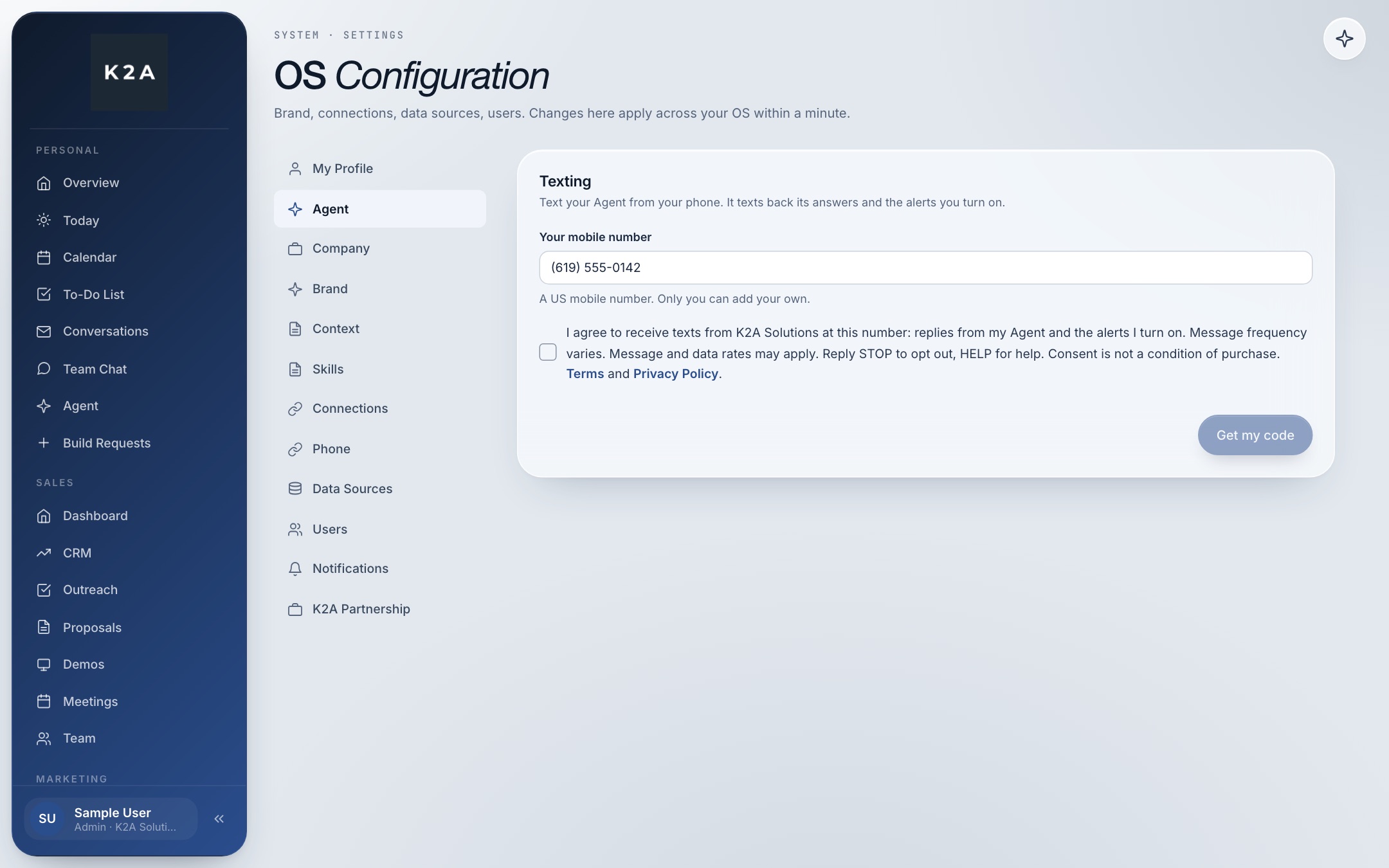
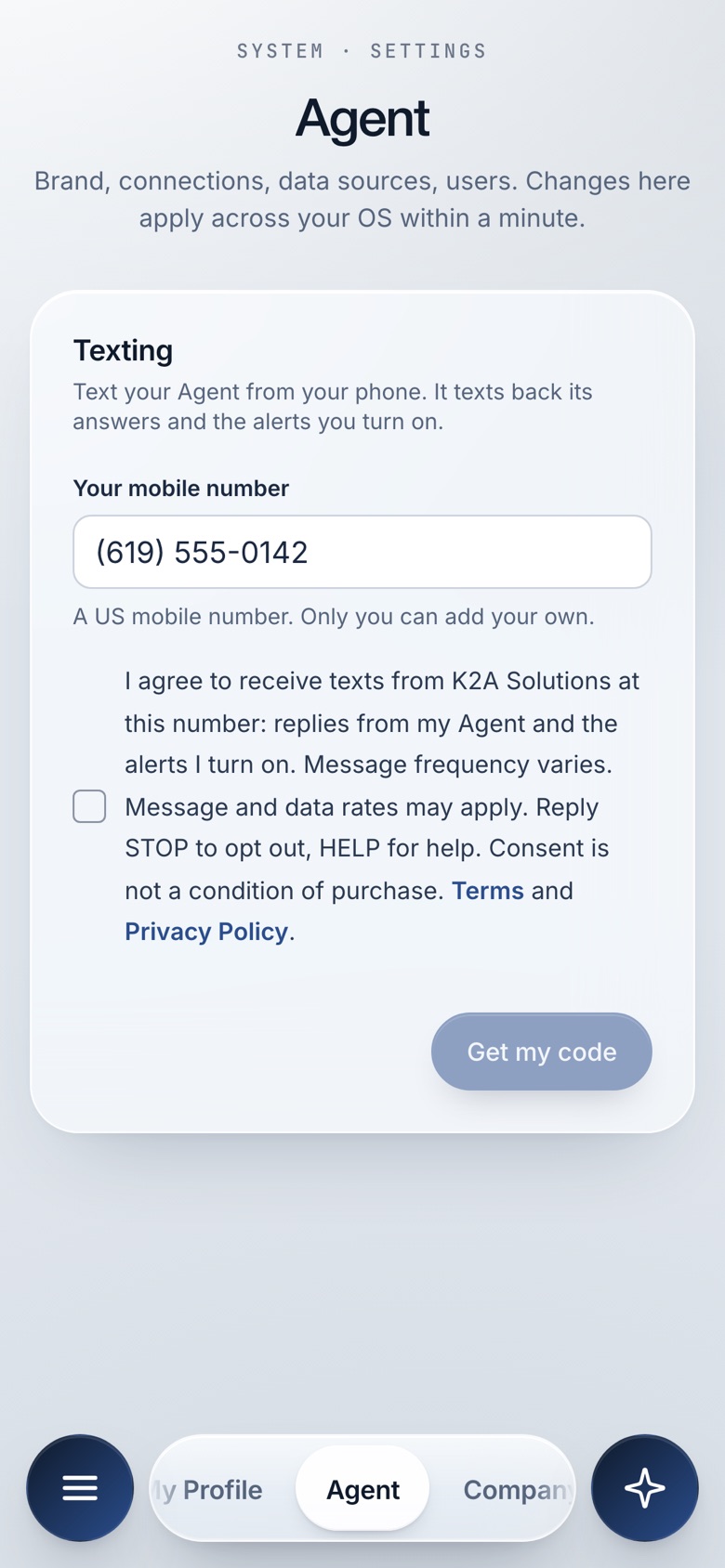
Signing up happens inside the operating system, which only signed-in users can reach, in Settings, Agent, Texting. Each person signs up for their own phone; an admin cannot sign up a number for someone else.
- The person types their own US mobile number.
- They tick a box, which starts unticked, next to these words:
"I agree to receive texts from K2A Solutions at this number: replies from my Agent and the alerts I turn on. Message frequency varies. Message and data rates may apply. Reply STOP to opt out, HELP for help. Consent is not a condition of purchase. Terms and Privacy Policy."
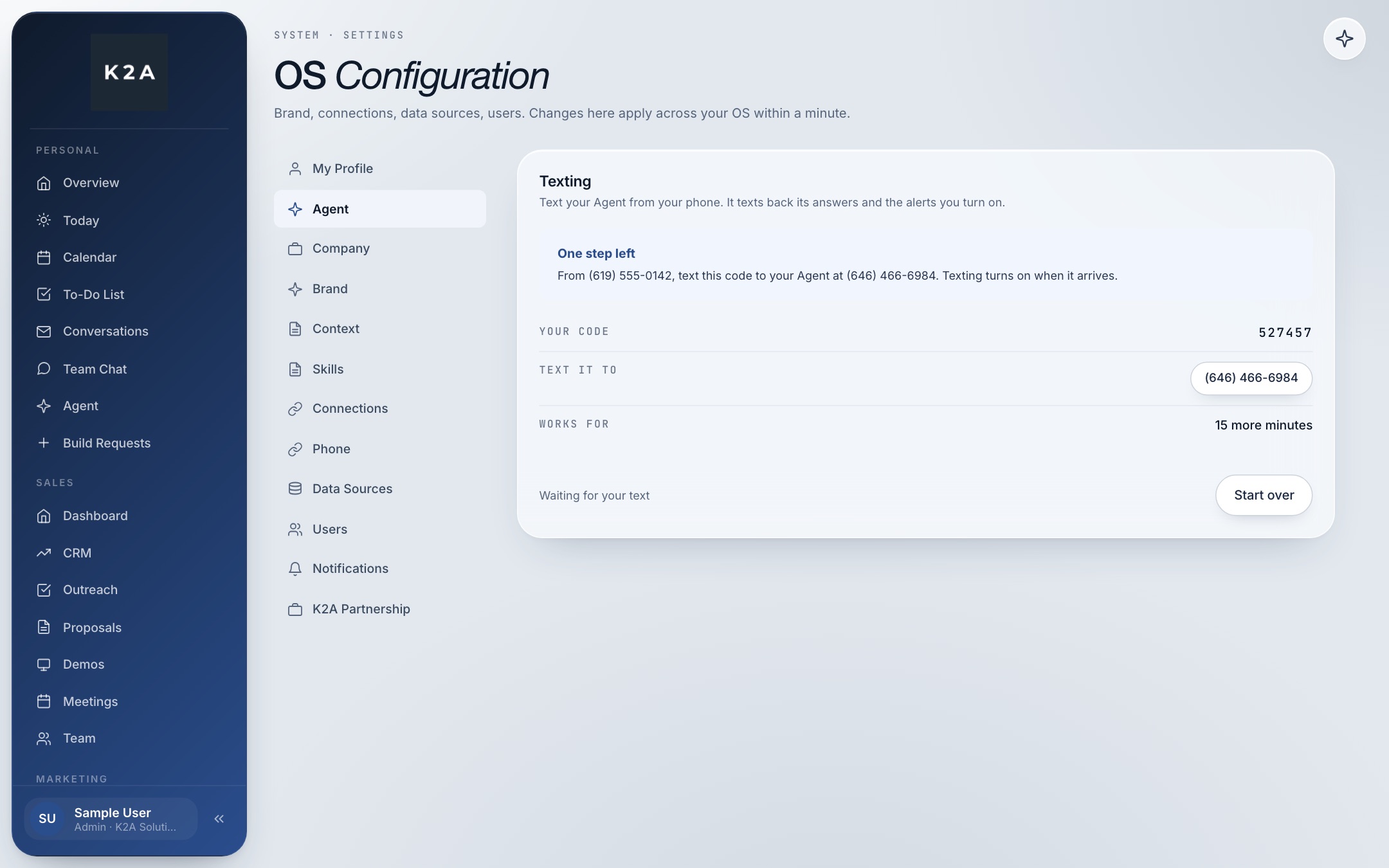
- The Get my code button stays off until the box is ticked. Pressing it shows a one-time code and the Agent's number.
- They text that code from the same phone to the Agent's number. Texting turns on only when the code arrives from that phone, which proves the phone belongs to the person who signed up.
The first text
When the code arrives, the person gets this reply:
"K2A Solutions: your number is confirmed. Text this number any time to reach your Agent. Msg frequency varies. Msg & data rates may apply. Reply HELP for help, STOP to opt out."
How often, and what it costs
Message frequency varies with how often the person texts the Agent and which alerts they turn on. Message and data rates from the person's mobile carrier may apply. Carriers are not liable for delayed or undelivered messages.
Stopping texts and getting help
- Stop. Reply STOP to any text (or STOPALL, UNSUBSCRIBE, CANCEL, END or QUIT) to stop all texts at once. The reply confirms it: "K2A Solutions: you are unsubscribed and will get no more texts from your Agent. Reply START to turn texts back on."
- Start again. Reply START to turn texts back on.
- Help. Reply HELP, or email info@k2asolutions.com.
- In the OS. Press Turn texting off in Settings, Agent, Texting.
Your number stays private
We never sell, rent or share mobile numbers, or text messaging opt-in data and consent, with third parties or affiliates for their marketing or promotional purposes. The details are in the text messages sections of our Privacy Policy and Terms of Service.
Contact us
K2A Solutions LLC, New York, NY. info@k2asolutions.com